
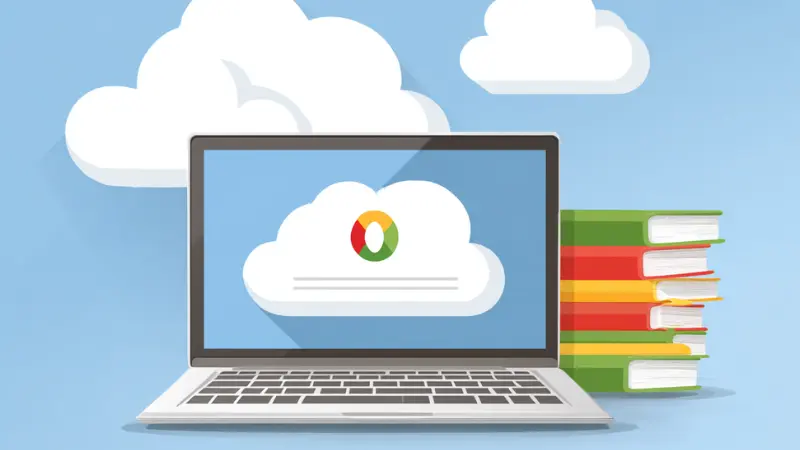
A Step-by-step Guide for Busy Homeschool Parents
If you want the short version, here it is: a digital homeschool portfolio is just a simple online place to keep your child’s work, photos, and progress so you’re not buried in paper at the end of the year. It’s easier to keep up with, easier to share, and a lot kinder to your sanity than binders.
Now let’s slow down and talk through it like real people.
What a Digital Homeschool Portfolio Actually Is
At its core, a digital homeschool portfolio is an organized collection of your child’s schoolwork stored online. That might be worksheets, photos of projects, short videos, reading logs, or notes about what worked and what didn’t.
Think of it as a cross between a scrapbook and a filing cabinet. It holds the evidence, but it also tells the story of your homeschool year. Compared with paper binders, it’s easier to organize and much simpler to share when someone asks to see it.
Some families build one themselves using free tools like Google Drive. Others prefer to skip the setup entirely and use a done-for-you option. Both approaches work. What matters is that you can actually keep up with it.
Why Homeschool Portfolios Matter (Even When You’d Rather Ignore Them)
Most homeschool parents hit the same wall eventually. It’s usually sometime in spring, when the dining table is stacked with half-sorted papers, and you suddenly realize you need proof of learning.
Portfolios matter because they solve real problems:
- They provide documentation for states that require reporting or evaluations.
- They make it easier for evaluators to understand what your child has learned.
- They simplify end-of-year reviews and future transcript work.
A digital portfolio removes a lot of the friction. You will not have to deal with piles of paper silently judging you from the corner anymore. That alone is reason enough for many families to make the switch.
Why More Homeschool Parents Are Moving to Digital
It saves time in real life, not just in theory
When you can snap a photo and upload it right away, you avoid the backlog that turns into an all-day organizing project later. Small actions add up.
It cuts down on overwhelm
Your home stays livable. Your school records live in one place instead of spreading across folders, bins, and drawers you keep meaning to sort.
It captures learning paper never could
Digital portfolios let you include things like:
- Audio clips of reading fluency
- Short videos of science experiments or presentations
- Screenshots from online programs
- Links to digital projects
Those details show learning in motion. They also help evaluators see what a worksheet alone cannot.
You can actually find things later
Most platforms let you search by keyword, date, or folder. You see thumbnails, timestamps, and filenames. When someone asks for that fraction project from October, you don’t have to guess where it went.
Evaluators tend to appreciate them
While some systems still reference paper, many evaluators genuinely prefer clear, clickable portfolios. When everything is organized and easy to navigate, reviewing takes less time and feels more complete.
Children start noticing their own growth
When kids help upload work or choose what to include, something shifts. The portfolio stops feeling like busywork and starts feeling like a record of what they’ve accomplished.
Clearing Up a Few Common Misunderstandings
| Misconception | Truth |
|---|---|
| “Digital portfolios feel complicated.” | In practice, most are as simple as sending a photo from your phone or uploading a file to a folder. |
| “Paper feels safer.” | Paper can’t be backed up. Digital files can be stored in the cloud and duplicated if needed. |
| “You need expensive software.” | Most homeschool families do just fine with free tools. |
| “Evaluators only want paper.” | Some processes still reference paper, however evaluators often appreciate well-structured digital portfolios when they’re easy to review. |
| “Digital feels impersonal.” | Photos, videos, and short reflections often make portfolios more personal, not less. |
Simple Steps to Create a Digital Homeschool Portfolio
Step 1: Pick a platform that feels manageable
Before getting into details, here’s a quick snapshot of the most common tools and why homeschool parents tend to choose them:
| Platform | Best For | Why Parents Like it |
|---|---|---|
| Google Drive | Simple, flexible setup | Free, familiar, easy folder organization, simple sharing links |
| Seesaw | Child-led portfolios | Children can upload work themselves; very intuitive |
| OneNote | Binder-style thinkers | Feels like a digital notebook with tabs and sections |
| Evernote | Long-term record keeping | Strong search and tagging for finding other work |
| Trello | Visual planners | Boards and cards make progress easy to see at glance |
If none of these feel perfect, that’s okay. You are not choosing a forever platform. You are choosing what works right now. Here’s a little more context to help you decide.
Google Drive works well if you want something free and familiar. You can create folders by subject or quarter, upload photos directly from your phone, and share a single link when needed. Many parents start here because there is almost no learning curve.
Seesaw is especially helpful if your child will be involved. Children can upload photos, videos, and voice recordings themselves, which takes some pressure off you and gives them ownership of their work.
OneNote appeals to parents who miss the feel of a physical binder. It uses sections and pages, which makes it easier to organize notes, samples, and reflections in one place.
Evernote is useful if you want strong search capabilities. If you tend to think, “I know we did that project sometime in November,” Evernote’s tagging and search tools can save time.
Trello works best for visual thinkers. Instead of folders, you use boards and cards. Some parents like seeing progress laid out visually rather than buried in file lists.
Choose the platform that feels most manageable, not the one that sounds the most impressive. You can always switch later if your needs change.
Step 2: Set Up a Folder Structure
There’s no perfect system, only a sustainable one. Some parents organize their folders like this:
- By subject: Math, Language Arts, Science, History
- By quarter: Q1, Q2, Q3, Q4
- Hybrid: Math –> Q1 –> Files
If the structure feels heavy, simplify it.
Step 3: Upload Samples as You Go
Upload from your phone right after taking the photo. That habit saves more time than almost anything else. Work samples might include written assignments, photos of projects, screenshots from online programs, reading logs, or short videos of presentations.
You don’t need everything. You need representative pieces.
Step 4: Add Brief Notes When They Matter
This step isn’t mandatory, but it adds real value. A sentence or two can explain progress, struggles, or changes.
For example:
- “She showed steady improvement with multiplication after daily review.”
- “We adopted a new writing curriculum midyear, which proved far more suitable.”
These notes show instructional decisions and growth. Evaluators tend to appreciate that context, and you may too when you look back.
Step 5: Share Only When Needed
Most platforms let you create a private shareable link for:
- Evaluators and reviewers
- Co-ops or tutors
- Family members
- Your future self working on transcripts
Clear organization, varied samples, visible progress, and short explanations usually go a long way.
What a Strong Digital Portfolio Looks Like in Practice
Most solid portfolios include organized folders, a mix of written work and visuals, and samples from different points in the year. A short end-of-year reflection helps tie everything together.
Children may add their own work or reflections. That meets documentation requirements and creates a clear record of homeschooling progress.
How Other Homeschool Families Use Digital Portfolios
Sarah, a science enthusiast, used Google Drive to collect lab photos and short experiment videos. Her evaluator described them as some of the clearest science samples she had reviewed.
David used Seesaw so extended family could follow along with math progress throughout the year.
Emily, a high school parent, built a meticulous archive of academic work in OneNote, which later made transcript preparation far less stressful.
Once parents understand how digital portfolios work, a few common questions usually come up. These are some of the ones homeschool families ask most often.
Common Questions about Digital Homeschool Portfolios
There isn’t one single “best” app for every homeschool family. The best choice usually depends on how involved you want your child to be and how you like information organized.
Two tools come up again and again among homeschool parents:
- Seesaw works well for families who want children to upload their own work. Kids can add photos, videos, and voice recordings with very little help, which makes it feel manageable even during busy weeks. Parents often like that learning gets documented as it happens, instead of piling up.
- OneNote is popular with parents who prefer structure. It feels similar to a digital binder, with sections and pages that make it easier to group work by subject or term. This can be especially helpful for middle school and high school records.
Some families also use Google Drive simply because it is familiar and flexible. The “best” app is usually the one you will keep using consistently, not the one with the most features.
A digital homeschool portfolio does not need to look like a professional website or a corporate case study. For homeschooling purposes, it works best when it clearly shows what your child has been learning over time.
Most strong portfolios include:
- Basic student information – a simple overview such as grade level, subjects studied, and the school year.
- Work samples and projects – photos of written work, scanned worksheets, creative projects, and hands-on activities.
- Context or brief notes – short explanations that describe what the assignment was, why it matters, or how the child progressed. This helps reviewers understand more than the artifact alone.
- Evidence of progress – samples from different points in the year that show growth rather than perfection.
- Optional reflections – Short parent or student reflections about challenges, improvements, or learning highlights.
Clean organization matters more than polish. Evaluators are usually looking for clarity, variety, and evidence of learning, not graphic design.
This is one of the most common questions, and it often causes unnecessary stress. Homeschooling does not need to mirror a traditional school day hour for hour.
Many homeschool families find rough daily ranges like these workable:
- Early elementary (K–5): about 1–2 hours of focused instruction
- Middle school: about 3–4 hours, often broken into shorter blocks
- High school: about 4–6 hours, depending on course load and independence
These hours usually include reading, discussion, projects, and hands-on learning, not just sitting at a desk doing work.
What matters more than clock-watching is whether learning is happening consistently and whether progress can be shown over time. A digital portfolio helps document that progress, even when learning happens in flexible or nontraditional ways.
If You’d Rather Skip Setup All Together
If the idea makes sense but the setup does not, I can help.
At Homeschool-Portfolios.com, I build custom digital homeschool portfolios organized by year and subject, with space for projects, essays, artwork, and progress notes. Everything is evaluator-ready, without you spending evenings sorting files.
I’m a homeschool parent too. I know how quickly paperwork piles up. Let me take portfolio stress off your plate so you can focus on teaching, not organizing.
You can learn more at Homeschool-Portfolios.com.